
Scheduling, execution and delivery for Unix and Linux
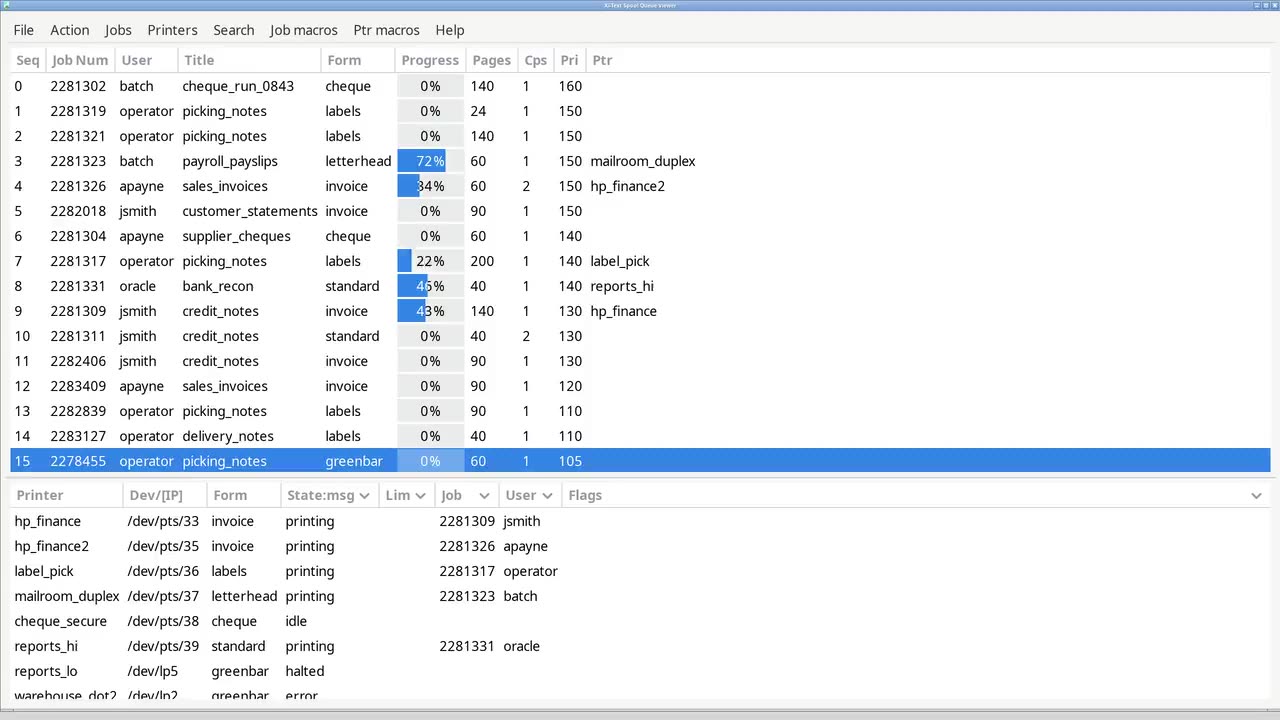
Your automated workload has three problems, and most suppliers solve one
Work has to be scheduled in the right order across the right machines. It has to execute on hosts you would rather not hand out shell access to. And it has to produce output that reaches a printer, a file or a person without anyone watching. The overnight run is the clearest example, and the same three problems apply to any work that runs unattended.
Xi Software makes a product for each of them: Xi-Batch schedules the work, Xi-Exec runs it on the remote hosts, and Xi-Text delivers the output.
Enterprise software since 1984 · Many Unix platforms, most Linux distributions · On your infrastructure · Perpetual licensing · Simple package install with few dependencies
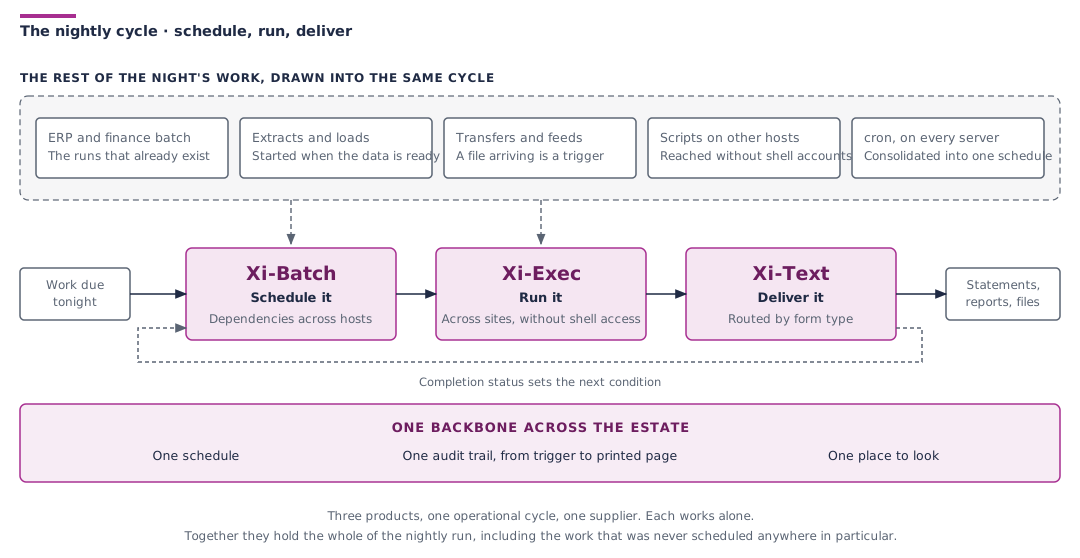
The three stages, and where the standard tools stop
Scheduling
Dependencies, hosts and a live queue
cron starts commands at times. It cannot express that one job depends on another,
cannot coordinate across hosts, shows you nothing about what is running, and
hands back control the moment a job starts.
Output
Production print
lp and CUPS are fine for a desktop. They cannot restart a failed sixty-thousand-page run at the point of failure, route by the form loaded rather than the printer
named, or stop most of the organisation reaching the cheque printer.
Execution
Remote work without shell access
Scheduled work has to reach other machines. The usual answers are a shared key, a service account with a shell, or an SSH command that has grown into an interface. Each gives the caller more than the job needs, and each is hard to audit.
The products
Schedule it
Xi-Batch
Dependency scheduling across hosts, load levelling, file monitoring, and a live
queue your operators can see and act on. A replacement for cron, not a wrapper
around it. In production since 1990.
Run it
Xi-Exec
Named, pre-approved scripts dispatched to remote hosts over mutual TLS, with centralised access control and a structured audit log. No shell access exposed.
Deliver it
Xi-Text
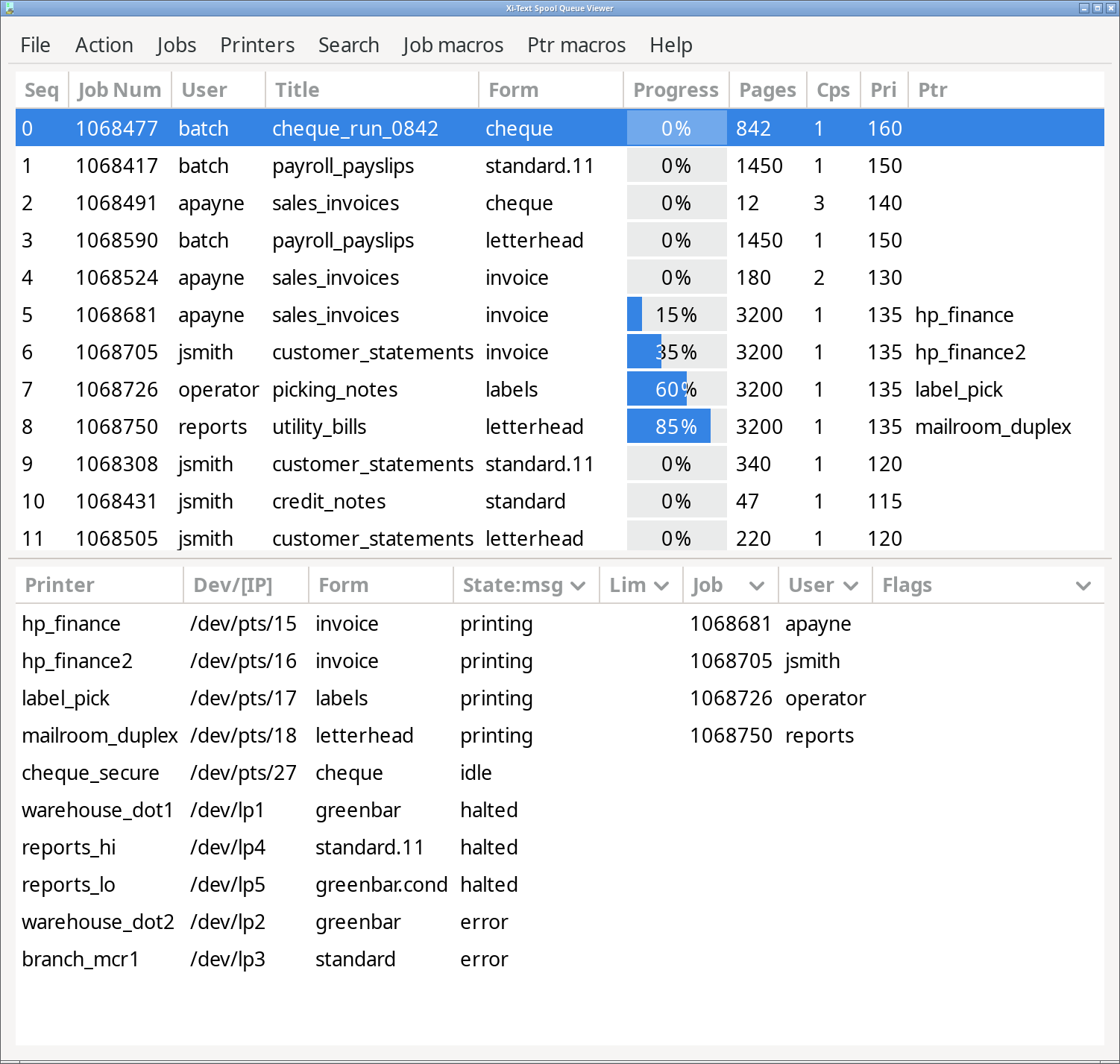
Production print spooling and output management. Route by form type, pool printers automatically, restart interrupted jobs at the point of failure, and see every printer and job on one screen. In production since 1984.
Why these, and not the alternatives
One supplier for all three stages. Scheduling, remote execution and output are usually bought from different suppliers, where the execution layer is sold as a product at all. We supply all three, designed to work together.
Existing integrations remain compatible. On-disk formats, the network protocol, command-line flags and exit codes are treated as a contract. Customers who wrote integrations against Xi-Batch in the 1990s still have them working, and new installations use the same interfaces.
No relational database. Xi uses an event-driven architecture and does not need a relational database, so there is no database to install, license or maintain.
Perpetual licensing. Licences are bought once and tiered by processor class. There is no subscription to renew.
Runs entirely on your own systems. Nothing in the operating path depends on us or on anyone's cloud. How that works.
We schedule overnight batches, and it just works seamlessly. We are long-term customers and can't find anything else as good.
Adrian Foster, Kirklees Metropolitan Council
Moving off HP-UX, Solaris or AIX?
Xi-Batch and Xi-Text run on the commercial Unix you are leaving and on the Linux distributions you are moving to, with the same interfaces, the same job and printer definitions, and the same command syntax. You do not need to redesign your scheduler or print setup when you migrate. The two platforms can run in parallel while you move. Changing platform within a processor class carries no additional licence fee.
HPE support for HP-UX ended on 31 December 2025, which is why HP-UX migrations come up most often.
Talk to us about your migration
Try it on your own systems
Evaluation copies install in minutes, need no database, make no kernel modifications, and convert to licensed status without reinstallation.