
Xi-Batch
Enterprise job scheduling for Unix and Linux. Dependencies that span hosts, load levelling that protects your systems, and a live queue your operators can act on.
Xi-Batch schedules, sequences and controls batch work across a network of servers. In production since 1990.
It is a replacement for cron, developed from the ground up rather than layered
over it. Dependencies, load control and security are therefore part of the
scheduler itself, not an addition that anyone with crontab access can walk
around.
How Xi-Batch compares with cron · See if Xi-Batch is packaged for your platform
Who uses it
Operations managers automate, track and manage the system and application processes that make up a production night.
Database administrators place database systems into backup mode, initiate the backup, and return the applications to production state - in the right order, every time.
Systems administrators initiate data transfers, trigger reporting routines and perform periodic maintenance without being present.
It operates so efficiently on its own, scheduling jobs and managing databases seamlessly. We have over 200 jobs running on each server, and it's been incredibly reliable.
Anthony D'Angelo, Montefiore Medical Center
Dependency scheduling that spans hosts
Xi-Batch uses scheduling variables - named values that jobs set and test - to control workflow. Set or test a variable at each decision point, and the sequencing follows from it.
Variables can be local to one system or global across the network, so a job on one host can wait on work completing on another. Chains can be serial or parallel, and can include resource locking, file status monitoring and waiting for operator intervention. Any event can be monitored and used to trigger a dependency.
Time and date scheduling that handles the real calendar
Run at a specific time. Repeat by minutes, hours, days or months. Run on days after or before month end. Avoid weekends and holidays from a calendar you define. Adjust for daylight saving.
The first or last - or second from last - working day of the month is a single setting, not a scripting problem.
File monitoring
Trigger work on the creation, deletion or amendment of a file. Jobs start when the data actually arrives rather than at a time you guessed it would.
Load levelling
Assign each job a load value and each queue a ceiling. Xi-Batch will not start a combination of jobs that exceeds it.
Set the system maximum to 5000 and you can run five jobs of load 1000, ten of load 500, or any combination within the limit. Administrators can override when circumstances require.
A queue you can see and control
The interactive queue manager shows jobs and scheduling variables at a glance, updating dynamically, with status in user-selectable colours. Submit, modify, run, delete and view jobs with one or two keystrokes.
Build multiple logical queues by job title, owning user or system, with pattern matching for rapid selection.
btq, over SSH or on a machine with no display. Time-compressed.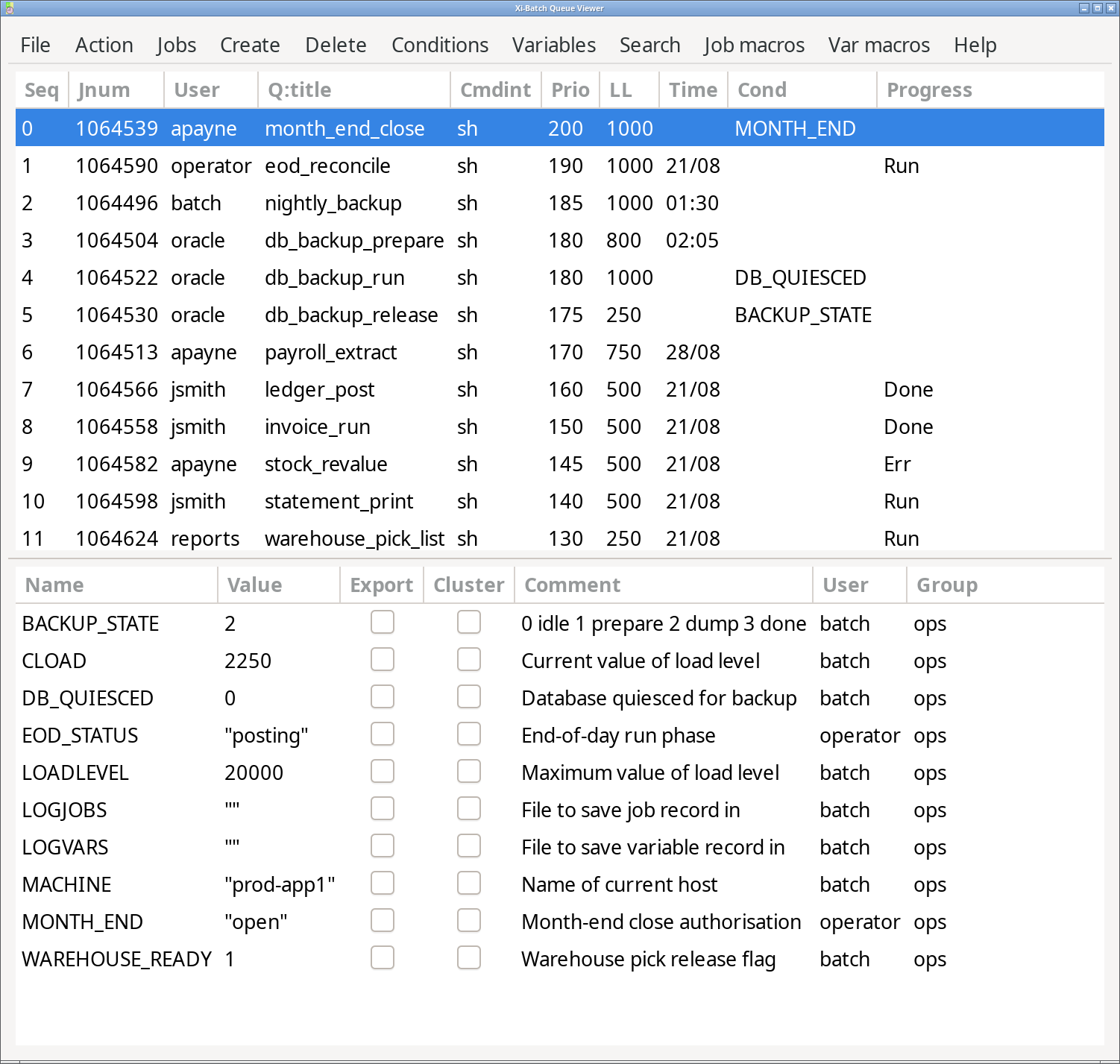
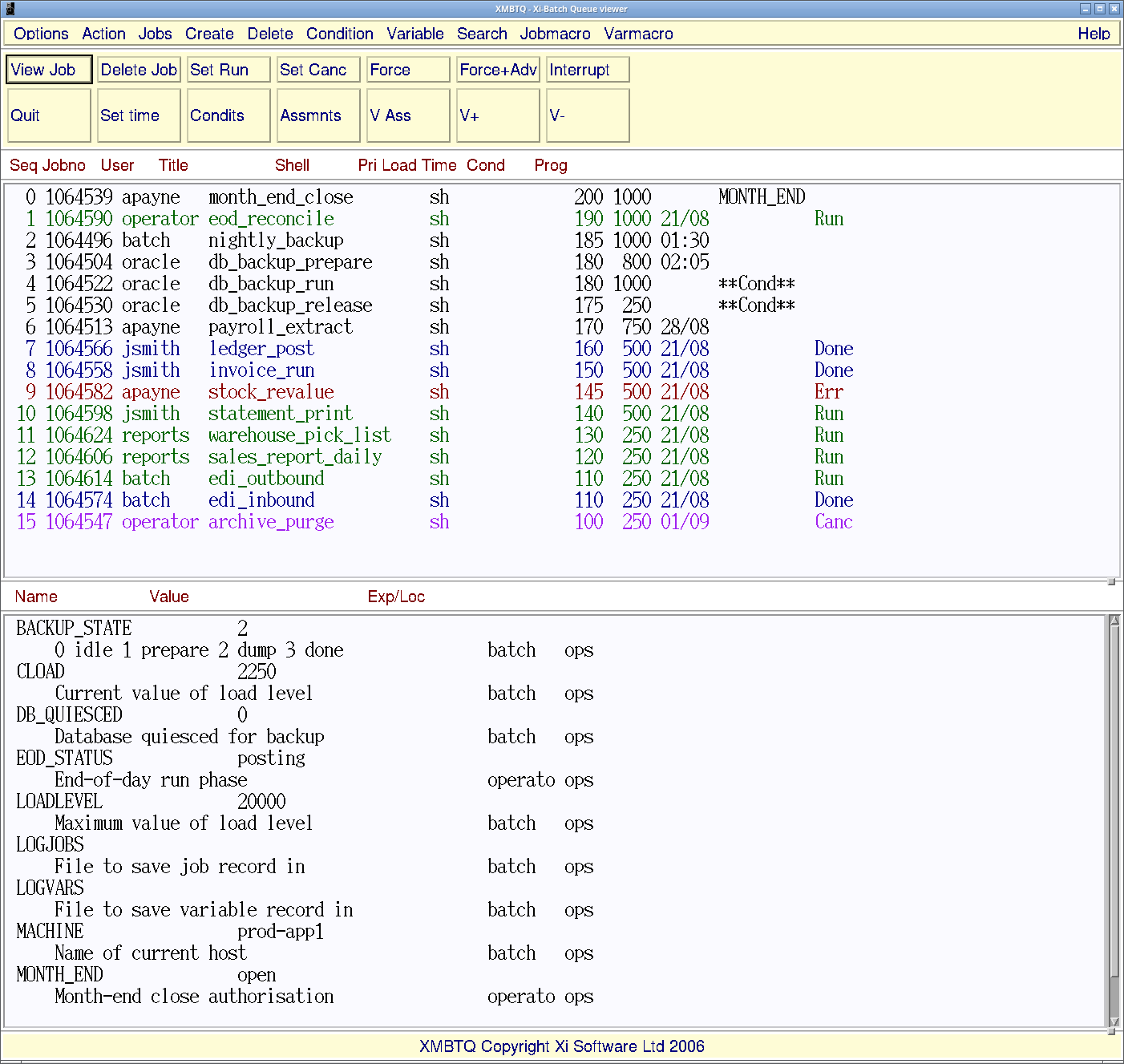
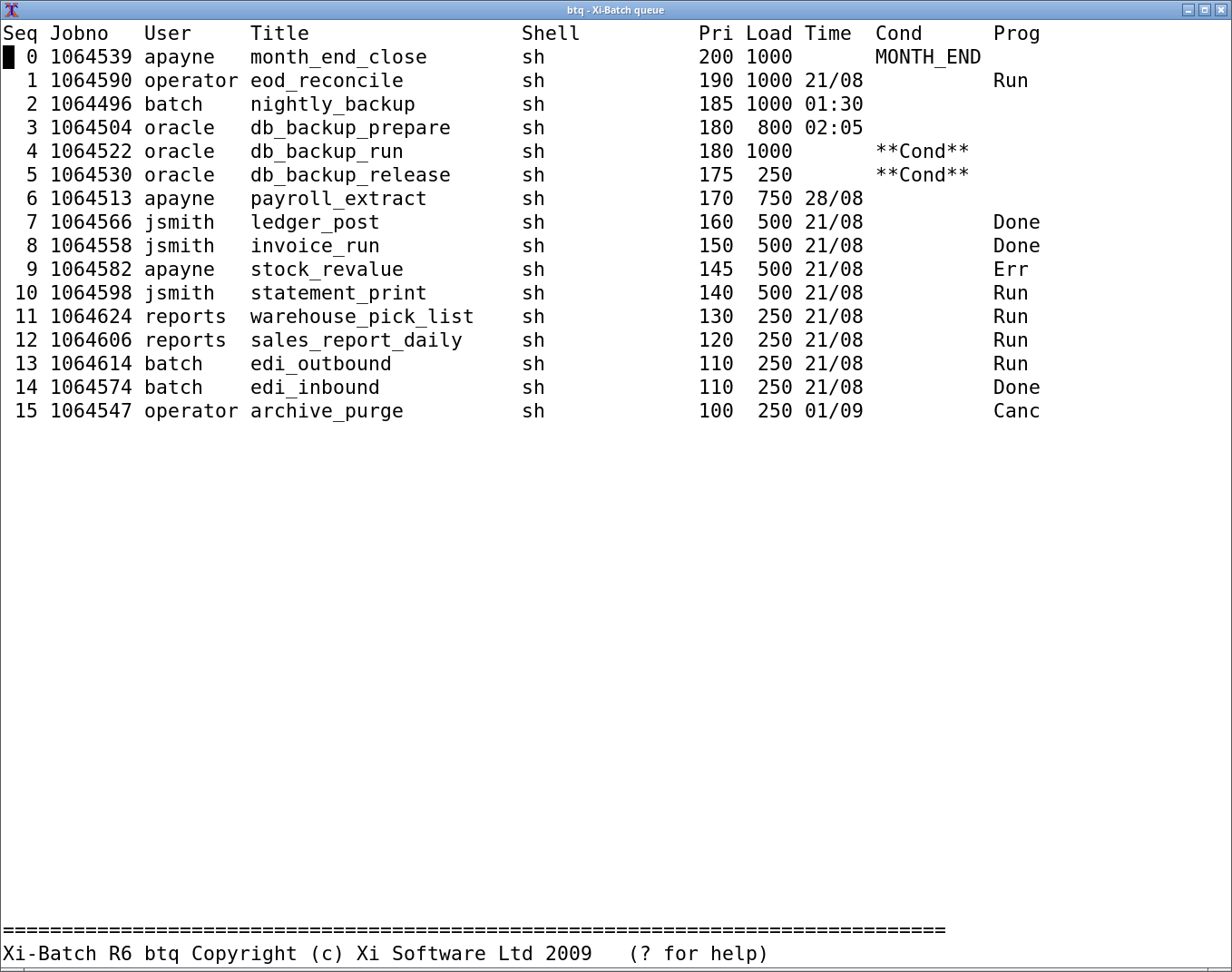
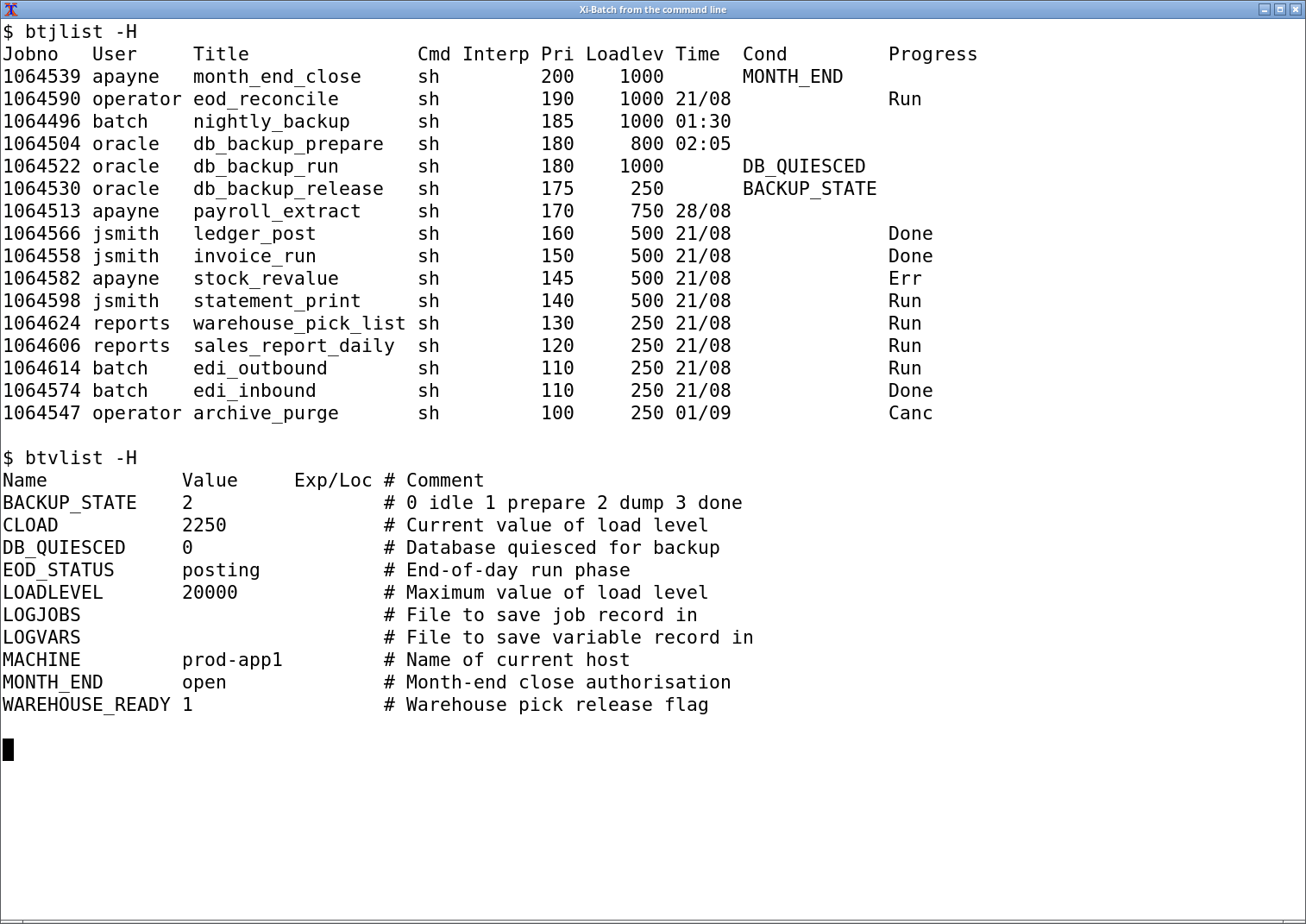
The same queue, at the same moment, in all four interfaces. Select any of them for the full-size screen.
Security and access control
A user - person or application - must be defined to Xi-Batch before it will accept their work. Permissions control which operations each user may perform, including whether they can see other users' jobs at all; by default they cannot.
Xi-Batch can act as the gatekeeper for remote submission, so a user does not need a login on a remote system in order to run work there.
Fault tolerance
On system failure, only the jobs on that system are affected, and cross-system dependency strategies are defined in advance. On restart the queue is recovered automatically and aborted jobs go to operator action or automatic recovery.
On network failure, jobs with no external dependencies carry on; the rest wait, run anyway, or take an alternative path as you specify. Systems re-integrate automatically when the network returns.
Reporting, audit and chargeback
Completion status is returned to the user's terminal or sent by email. All job and variable activity is logged automatically. Customised reports cover the history of success, failure and run times.
For chargeback, activity is tracked per user, with an option to apply extra charges to jobs moved up the queue.
Configurable to your operation
Most scheduling options can be set per user. Every textual element - full-screen menus, keystroke mapping, informational and error messages - can be configured system-wide or user-by-user, tailored to your terminology or rewritten in another language.
This is what makes a migration from another scheduler work: customers have configured Xi-Batch to resemble what their operators already knew.
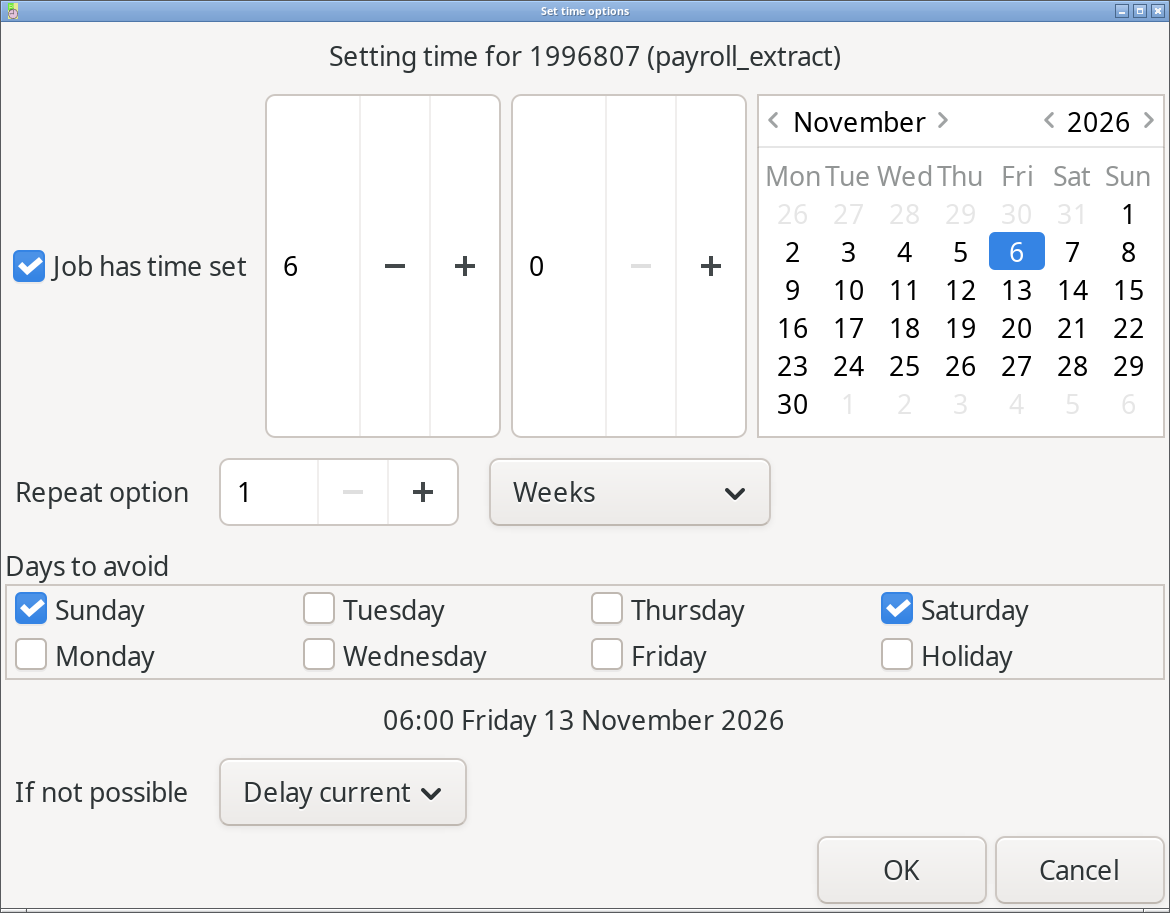
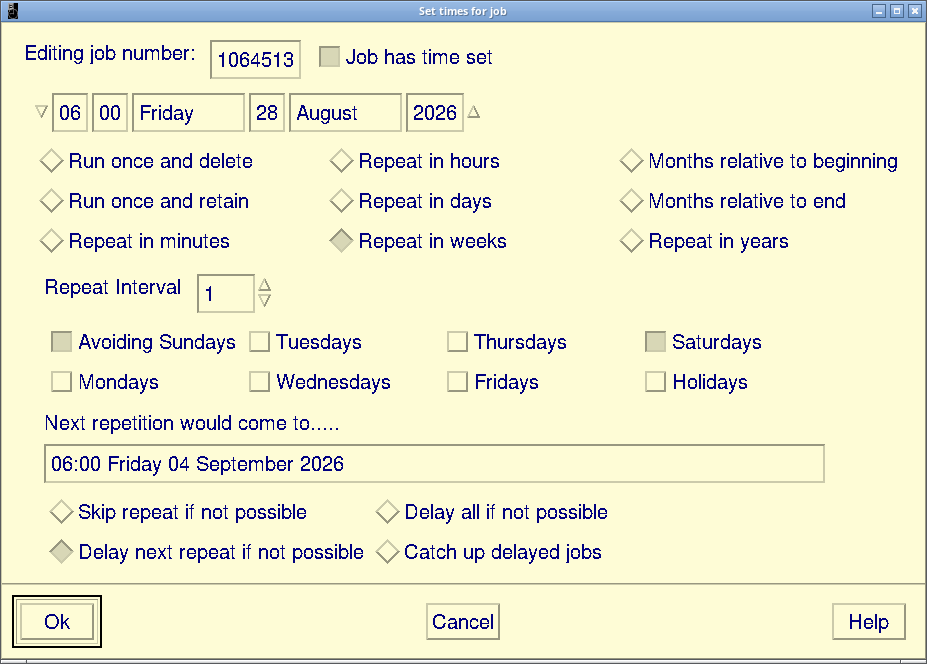
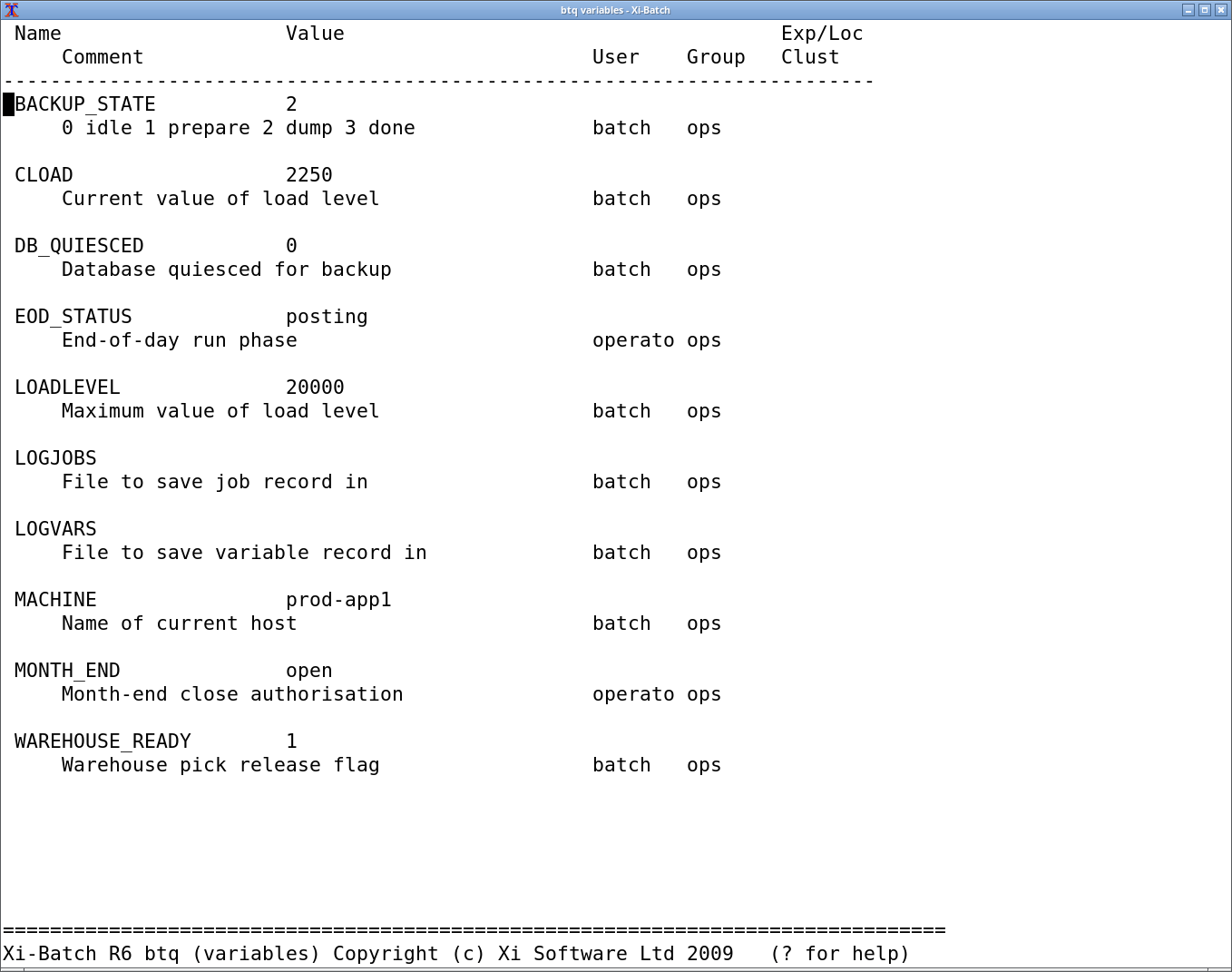
btq -v) - values, comments and owners. Whatever the graphical interface can show you, the character interface can show you too, over SSH and on a machine with no display. Every variable shown is fictitious.Interfaces
GTK3, Motif, full-screen character, the command line, and a programmer's API.
The character interface is a first-class one rather than a fallback: it works over any terminal or SSH session and is faster than a mouse for an operator who knows it.
Integrates with what you already run
Jobs are usually shell scripts, and other command processors such as Perl and SQL integrate directly. An API makes all functionality available programmatically.
Xi-Batch can be driven from a third-party shell, menu, application or system administration package - configured so that the user may be unaware of Xi-Batch itself.
Work that has to happen on a machine without a scheduler of its own, or at another site, goes through Xi-Exec, which carries it across without a shell account on the far side.
Try it
Installation takes minutes, makes no kernel modifications and needs no relational
database. Existing crontab entries convert automatically. Evaluation copies
convert to licensed status without reinstallation.
Request an evaluation · Xi-Batch case studies · Licensing · How it is tested